
If you searched 185.63.283.200 after spotting it in a log file, a router page, an email, or an error message, here’s the quick answer: it is not a valid IP address. Understanding why will also help you figure out what you actually saw.
Why 185.63.283.200 Is Invalid
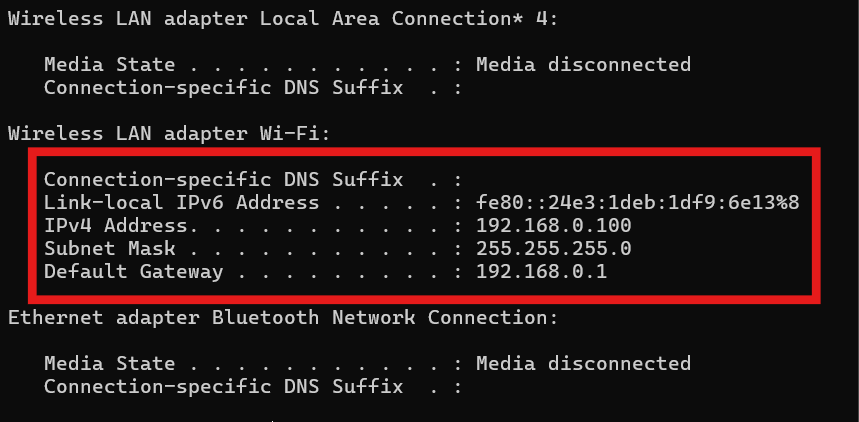
An IPv4 address has four numbers (called octets) separated by dots, and each number can only range from 0 to 255. That limit exists because each octet is stored in 8 bits, which can represent 256 values in total.
Look at 185.63.283.200 one octet at a time:
- 185 is valid
- 63 is valid
- 283 is invalid, since it’s higher than 255
- 200 is valid
That single out-of-range number means no device on the internet can hold this address, and it can’t be looked up, pinged, or traced to a location or owner.
So What Might You Have Seen?
When a string like this shows up, it’s usually one of a few things:
- A typo or misread number. A common mix-up is 283 vs 253, so the intended address may have been 185.63.253.200. Check the original source before assuming.
- A copy-paste or OCR error, especially from screenshots, PDFs, or scanned documents where digits get misread.
- A placeholder or example value used in a tutorial, template, or documentation.
- Auto-generated junk content. Many low-quality websites publish articles about malformed IP-like strings to catch search traffic, often with confident but meaningless explanations. If a page claims to tell you who owns 185.63.283.200 or where it’s located, treat it as unreliable.
Should You Be Worried?
An invalid address on its own isn’t a security threat, because nothing can connect from or to it. But it’s still worth checking where you found it:
- In server or firewall logs: malformed entries can come from log formatting bugs, misconfigured software, or someone probing your system with crafted requests. Compare timestamps and surrounding entries.
- In an email or message: a made-up IP in a “security alert” is a classic sign of a phishing or scam attempt. Don’t click links or call numbers in it.
- On your router or device: double-check the digits, since a display or entry glitch is the most likely cause.
How to Check Whether an IP Address Is Valid
- Confirm there are exactly four numbers separated by dots.
- Make sure each number is between 0 and 255.
- Avoid leading zeros in most tools (192.168.001.001 can be rejected or misread).
- Use a trusted IP lookup or validation tool, which will flag an invalid address immediately.
For a valid address, a lookup can show the network owner (ASN), general region, and whether it’s associated with a hosting provider, ISP, or VPN. Location results are approximate, and they identify a network, not a specific person.
What to Do Next
- Go back to the original source and re-read the number carefully.
- Try the most likely corrected version, but verify it rather than assuming.
- If it came from suspicious contact, don’t engage with it.
- If it’s in your logs repeatedly, review your logging and firewall setup or ask your system administrator.
Bottom Line
185.63.283.200 can’t be a real IPv4 address because the third number, 283, exceeds the maximum of 255. It’s most likely a typo, a copy error, or a placeholder. Verify the source, correct the digits, and run any valid version through a reputable IP lookup tool before drawing conclusions about what it is or who owns it.